




This recipe was shared from Recipe Keeper - save, organize and share recipes all in one place.

  • Save recipes from websites, Instagram, TikTok
  • Scan cookbooks, magazines, handwritten recipes
  • Plan meals and shopping lists
  • Create beautiful cookbooks to share or gift
  • Works on iOS, Android, Windows and Mac

Get Recipe Keeper free and save this recipe to your collection

Download on the App Store Get it on Google Play Download from Windows Store Download on the App Store

⭐⭐⭐⭐⭐ 50,000+ 5-star ratings

(App Store • Google Play • Microsoft Store)

Quinoa con pollo y vegetales a la plancha | Reto 28

Brunch
Serving size: 4

Already have Recipe Keeper?

Ingredients

  • 1 taza de quinoa
  • 2 tazas de agua o consomé desgrasado
  • 1 filete de pollo para asar
  • 1 calabacín (calabaza tipo zucchini)
  • 1 pimiento
  • 1 arbolito de brócoli
  • 1 zanahoria mediana
  • ½ cucharadita de aceite de oliva

Directions

  • 1. Lava muy bien los vegetales y sécalos.
  • 2. Para cocinar la quinoa primero lávala durante unos segundos en un chorro de agua y luego ponla en una olla con el consomé.
  • 3. Cuece a fuego medio revolviendo esporádicamente durante 15 minutos o hasta que el grano se haga transparente.
  • 4. Entretanto, limpia el pimiento, quítale el tallo, el centro y las semillas. Córtalo en trozos grandes.
  • 5. Corta la zanahoria y el calabacín en rebanadas gruesas a lo largo y separa unas 6 ramitas de brócoli.
  • 6. Pon una plancha a fuego alto y una vez que esté caliente distribuye encima unas gotas de aceite de oliva, los vegetales y el pollo sazonado con poca sal y pimienta.
  • 7. Reduce a fuego medio.
  • 8. Deja que todo se cocine allí por unos 8 a 10 minutos, volteando periódicamente los vegetales y el pollo para que se asen uniformemente.
  • 9. Corta el filete de pollo en tiras no muy largas.
  • 10. Cuando la quinoa esté lista escurre bien todo el líquido y agrégale los vegetales y la carne, revolviendo uniformemente.
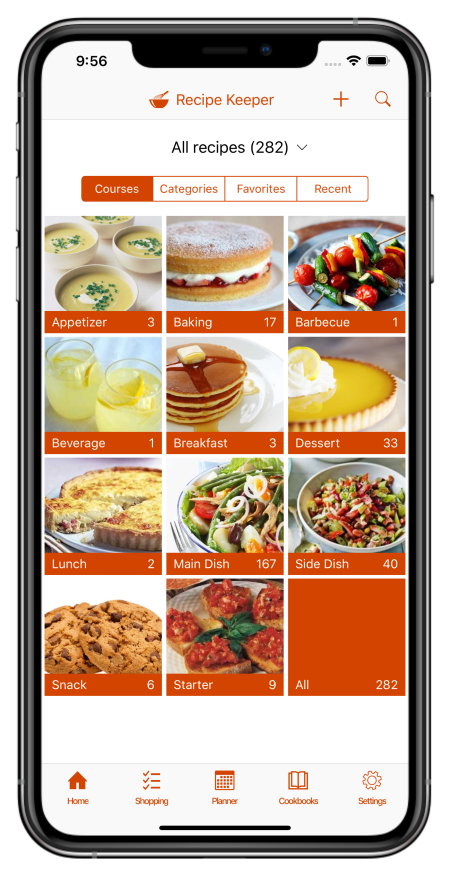

What is Recipe Keeper?

Recipe Keeper helps you save recipes from anywhere, keep them organized, and find them fast - across your phone, tablet and computer.

Import recipes from websites

Search for recipes on the web, Instagram and TikTok and add them straight to your collection.

Hundreds of popular recipe websites supported.

Once added you can customize a recipe to suit your needs.

Scan from cookbooks, magazines and handwritten recipes

Scan recipes using your phone's camera or from your existing photos and PDF files.

OCR technology automatically converts images to text.

Keep all your favorite family recipes safe forever.

Find any recipe instantly

Quickly lookup your recipes by name, ingredient or directions or simply browse your recipes by course, category and rating.

Got some leftovers in the fridge? Search for a recipe to use them up.

Cook more of your favorite meals and rediscover those long forgotten recipes to make meal times interesting again.

Available across all of your devices

Share your recipes, shopping lists and meal planner across your iPhone, iPad, Android phone and tablet, Windows PC and Mac.

Get Recipe Keeper and never lose a recipe again

Download on the App Store Get it on Google Play Download from Windows Store Download on the App Store


